
General Settings
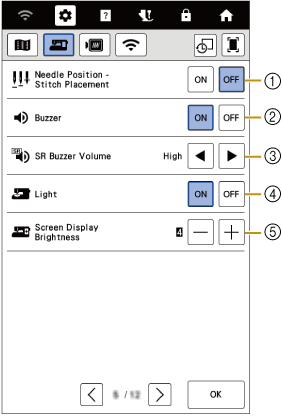
- Select the operation of the [Needle Position - Stitch Placement] to [ON] or [OFF].
- Select whether to hear the beep operation sound.
- Select the beep sound of the stitch regulator (sold separately).
- Select whether to turn work area light on or off.
- Select the screen display brightness.
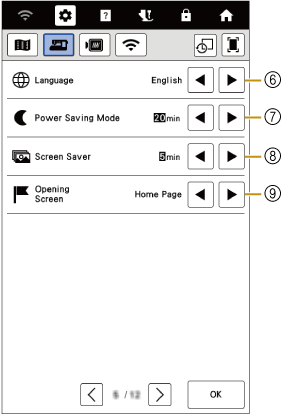
- Select the display language.
- Set the [Power Saving Mode] to save the machine power.
- Select the length of time until the screen saver appears.
- Select the initial screen that is displayed when the machine is turned on.
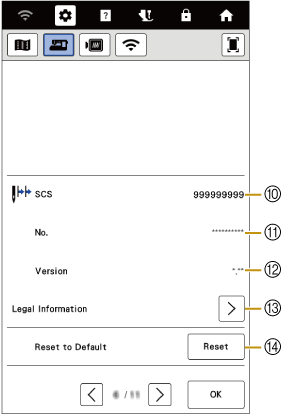
- Shows the total number of stitches sewn on this machine, which is a reminder to take your machine in for regular servicing. (Contact your authorized Baby Lock retailer for details.)
- Shows the internal machine number for this machine.
- Shows the program version.
- Be sure to install the latest software.
- Shows legal information.
- Erase all saved data, customized settings and network information in the machine.