
Calibrating the Touch Screen
If the screen does not respond correctly when you touch a key (the machine does not perform the operation or performs a different operation), follow the steps below to make the proper adjustments.
Holding your finger on the screen, turn the main power switch to OFF and back to ON.

- The touch panel adjustment screen appears.
Using the included touch pen, lightly touch the center of each +, in order from 1 to 5.
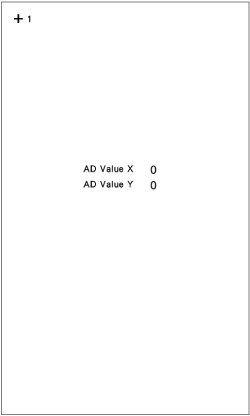
Only use the included touch pen to touch the screen. Do not use a mechanical pencil, pin, or other sharp object. Do not press too hard on the screen. Otherwise, damage may result.
Turn the main power to OFF, then turn it back to ON.
If you finish the screen adjustment and the screen still does not respond, or if you cannot do the adjustment, contact your authorized Baby Lock retailer.