Saving Your Stitch Settings
The settings for the zigzag stitch width, stitch length, thread tension, etc., are preset in the machine for each stitch. However, if you have specific settings that you wish to reuse later for a stitch, you can change the settings so that they can be saved for that stitch. Five sets of settings can be saved for a single stitch.
Saving Settings
Select a stitch.
Specify your preferred settings.
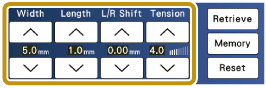
Touch
 .
.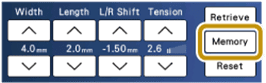
- The settings are saved and the original screen automatically appears.
If you try to save settings when the pocket is full, touch  to delete the saved settings as you choose.
Retrieving Saved Settings
Select a stitch.
Touch
.Touch the numbered key of the settings to be retrieved.
- Touch [Close] to return to the original screen without retrieving settings.
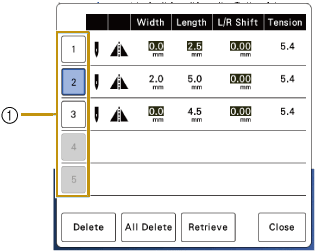
- Numbered keys
Touch
 .
.- The selected settings are retrieved, and the original screen automatically appears.
- If the pocket is full, delete the saved settings. Touch
 and select a numbered key of the setting to be deleted. Touch
  , [OK], and [Close]. Then touch to save the current settings.
 - You can delete all the saved settings by touching
 .
.
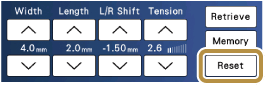
Returning the Selected Stitch Pattern to the Default Settings
Touch
 .
.- In the default settings, the area around the setting value is black.