
Retrieving Stitch Patterns
Retrieve stitch patterns saved in the machine's memory or USB media.
When retrieving stitch patterns from a USB media, insert the USB media into the USB port on the machine.
Touch
 and select the desired destination.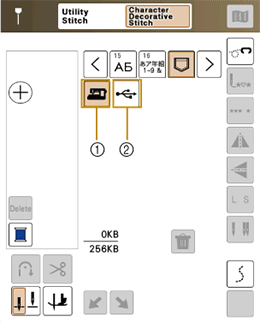
- Retrieve from the machine’s memory.
- Retrieve from a USB media. When retrieving stitch patterns from a USB media, insert the USB media into the USB port on the machine.
- If the stitch pattern to be retrieved is in a folder of the USB media, touch the key for that folder. Touch
 to return to the previous screen.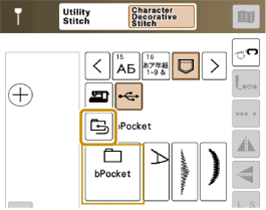
- Folders in the USB media cannot be created with the machine.
- For details on supported file extensions, refer to the following link.
Select the desired stitch pattern.
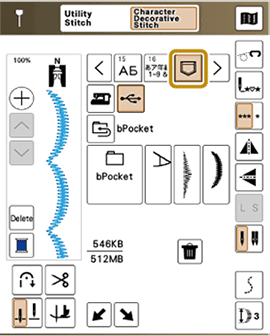
When you touch
 , the selected stitch pattern will be deleted permanently.