
Changing the Size and the Density of the Pattern
If  is selected, you can change the pattern size while maintaining the thread density. The machine recalculates the stitch count automatically. With this function, the pattern will be enlarged or reduced at a larger ratio than with normal pattern resizing.
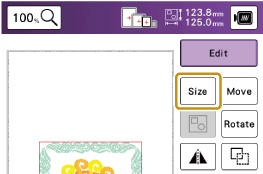
Touch [Edit], and then touch
 .
.
Select the size changing method.
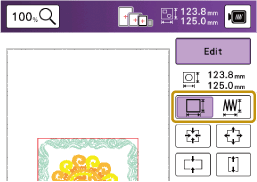
 : Change the pattern size while maintaining the number of stitches. Enlarged patterns will be less dense, and reduced patterns will be more dense. In order to maintain embroidering quality, there is a limit to how much the embroidery pattern can be enlarged or reduced.: Change the pattern size while maintaining the thread density. After the pattern size is changed, the thread density can be changed in the edit screen. The number of stitches is recalculated depending on the pattern size.
- If a key display is grayed out, you cannot use that function with the selected pattern.
- When you change the size changing method, the pattern settings of the size, angle, and position are reset.
Select the direction in which to change the pattern size.
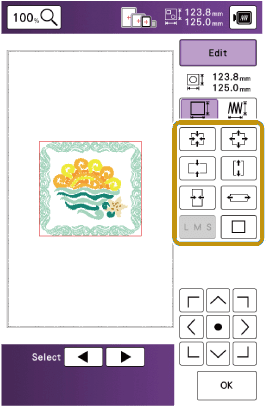
 : Decrease the pattern proportionately.
 : Decrease the pattern vertically.
 : Decrease the pattern horizontally.
 : Enlarge the pattern proportionately.
 : Stretch the pattern vertically.
 : Stretch the pattern horizontally.
 : Change the size of the character patterns.
 : Reset the size. (except for character patterns.)
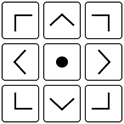 : Move the pattern in the direction shown by the arrow.
When you select
, touch [OK], and then touch  to change the thread density.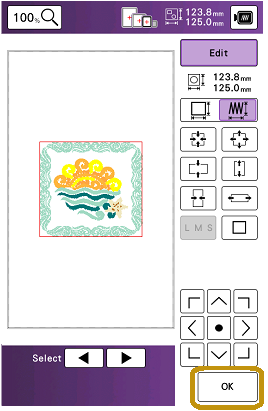

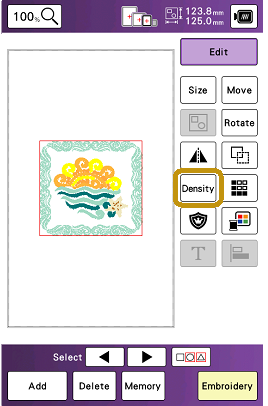
 : Make the pattern less dense.
 : Make the pattern more dense.
Touch [OK].