
Quilting with Satin Stitches
For better fabric control, use the foot controller to sew or quilt with satin stitches. Set the speed control slide to control the stitch width to make subtle changes in the stitch width during sewing.
Attach the foot controller.
Select the stitch below.

Attach presser foot “J”.
Touch
 in the length display to shorten the stitch length.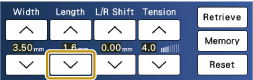
The setting will vary according to the kind of fabric and the thickness of the thread, but a length of 0.3 to 0.5 mm (approx. 1/64 to 1/32 inch) is best for satin stitches.
Touch
 to use the speed control slide to control the stitch width.
Set the [Width Control] to [ON].

Touch [OK].
- The display will return to the original screen.
While sewing, slide the sewing speed controller to adjust the stitch width.
Adjust the sewing speed with the foot controller.
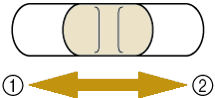
- narrower
- wider
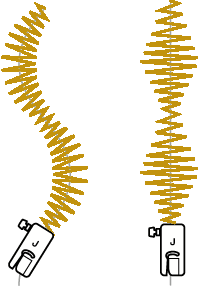
When you are finished sewing, set the [Width Control] back to [OFF].