
Removing/Attaching the Presser Foot Holder
Removing
Press
 (Needle position button) to raise the needle.
Touch
 to lock all keys and buttons.
If the message [OK to automatically lower the presser foot?] appears on the LCD screen, touch
 to continue.
Raise the presser foot lever.
Loosen the screw to remove the presser foot holder.
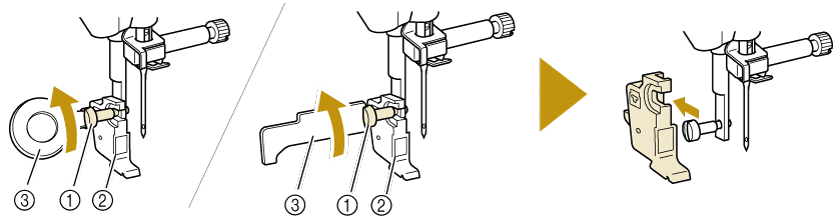
- Presser foot holder screw
- Presser foot holder
- Screwdriver (Use the screwdriver included in the machine.)
Attaching
Tighten the presser foot holder screw with screwdriver.
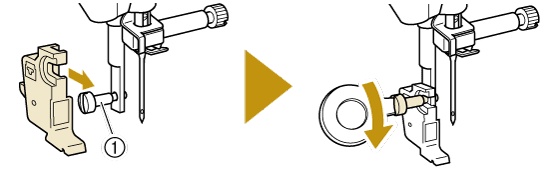
- Presser foot holder screw
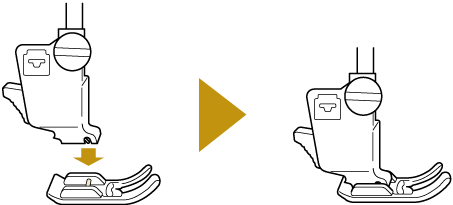
Attach the presser foot to be used referring to step 5 of “Replacing the Presser Foot”.
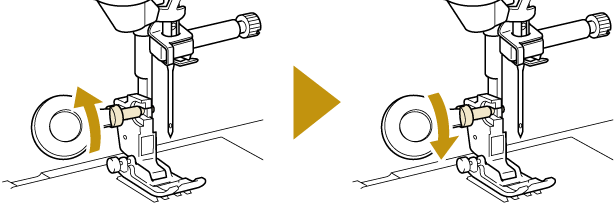
While the presser foot is lowered, slightly loosen the presser foot holder screw and securely tighten it in order to fix the presser foot holder at the appropriate position.
Touch
 to unlock all keys and buttons.