
Pivoting
If the pivot function is selected, the machine stops with the needle lowered (in the fabric) and the presser foot is automatically raised to an appropriate height when the “Start/Stop” button is pressed. When the “Start/Stop” button is pressed again, the presser foot is automatically lowered and sewing continues. This function is useful for stopping the machine to rotate the fabric.
 CAUTION
When the pivot setting is selected, the machine starts when the “Start/Stop” button is pressed or the foot controller is pressed down even if the presser foot has been raised. Be sure to keep your hands and other items away from the needle, otherwise injuries may occur.
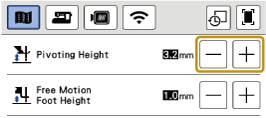
When the pivot setting is selected, the height of the presser foot when sewing is stopped can be changed according to the type of fabric being sewn. Touch  to display [Pivoting Height] of the settings screen. Touch
  or
or  to select the height. To raise the presser foot further, increase the setting.
Select a stitch.
Touch
 to select the pivot setting.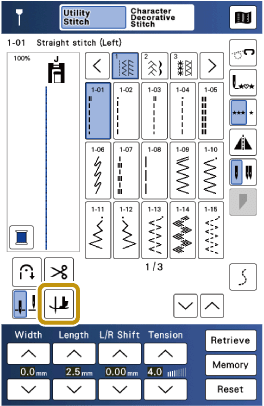
- The key appears as
 .
.
- If a key display is grayed out, you cannot use that function with the selected stitch pattern.
- If the pivot function is selected, and beside [Presser Foot Height] in the settings screen are not available and the setting cannot be changed.
- The key appears as
Place the fabric under the presser foot with the needle at the starting point of the stitching, and then press the “Start/Stop” button. The machine will begin sewing.
Press the “Start/Stop” button to stop the machine at the point where the sewing direction changes.
- The machine stops with the needle in the fabric, and the presser foot is raised.
Rotate the fabric, and then press the “Start/Stop” button.
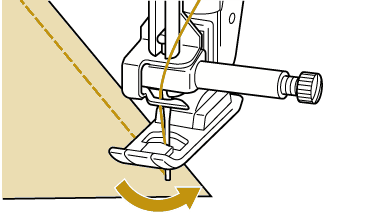
- The presser foot is automatically lowered, and sewing continues.