
Moving/Rotating the Pattern
Using these keys, you can move or rotate the pattern.
Move key
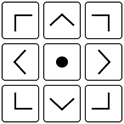 : Move the pattern in the direction shown by the arrow.
 : Center the pattern.
Rotate key
 : Shows the degree of rotation of the pattern.
 : Rotates the pattern 90 degrees to the left.
 : Rotates the pattern 90 degrees to the right.
 : Rotates the pattern 10 degrees to the left.
 : Rotates the pattern 10 degrees to the right.
 : Rotates the pattern 1 degree to the left.
 : Rotates the pattern 1 degree to the right.
 : Rotates the pattern 0.1 degrees to the left.
 : Rotates the pattern 0.1 degrees to the right.
 : Reset the angle.