
Saving Stitch Patterns
You can save stitch patterns that you have customized in the machine's memory or USB media.
Do not turn the main power to OFF while the [Saving...] screen is displayed. You will lose the stitch pattern you are saving.
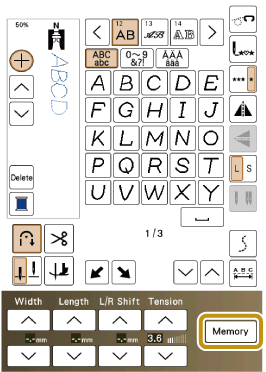
Touch
 .
.
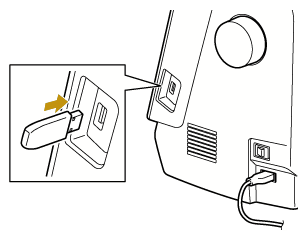
When saving the stitch pattern in a USB media, insert the USB media into the USB port on the machine.
Touch the desired destination to start saving.
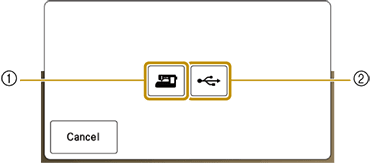
- Save to the machine’s memory.
- Save to the USB media. The stitch pattern is saved in a folder labeled [bPocket].