
Checking the Pattern Position
The carriage moves and shows the pattern position. Watch the embroidery frame closely to make sure the pattern will be embroidered in the right place.
 : Move the carriage to trace the embroidery area of the pattern. This allows you to check that there is enough space to embroider the pattern.
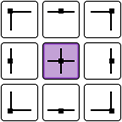 : Move the carriage to the selected position.
 : Set the needle start position to the lower-left corner of the pattern. This setting is useful when connecting patterns since it allows you to continue embroidering until the first stitch of the next pattern.
- : Move the carriage to the selected position.
Touch
 .
.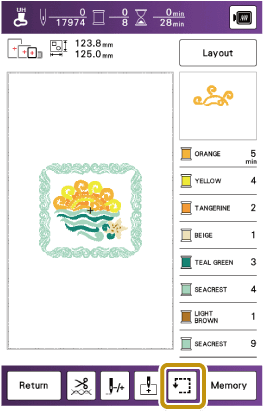
Touch the key for the position that you want to check.
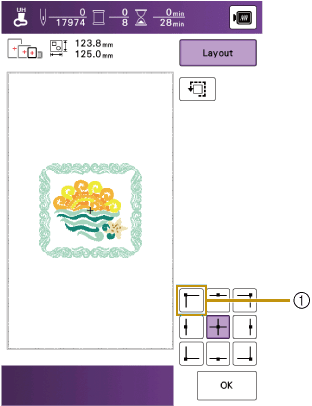
- Selected position
- The carriage will move to the selected position on the pattern.
To see the entire embroidering area, touch
. The carriage moves and shows the embroidery area.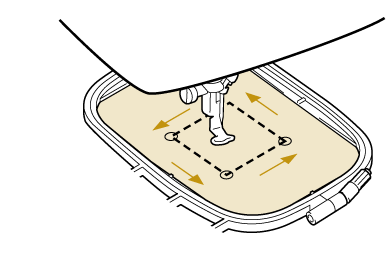
 CAUTION
Do not lower the needle when the embroidery frame is moving. If the needle is down, it could break and result in injury.
Touch [OK].