
Changing the Thread Color
You can change the thread color by moving the color to be changed to the top of the embroidering order and selecting a new color from the thread colors in the machine.
Touch [Edit], and then touch
 .
.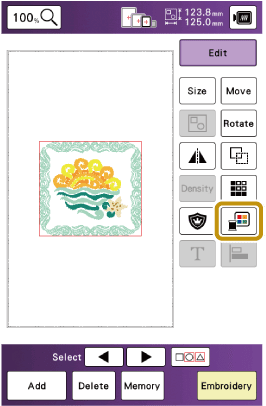
- The thread color palette appears.
Touch the color of the part to be changed.
Touch
 or
or  to display the thread color that is not on the screen.
- The selected thread color image appears.
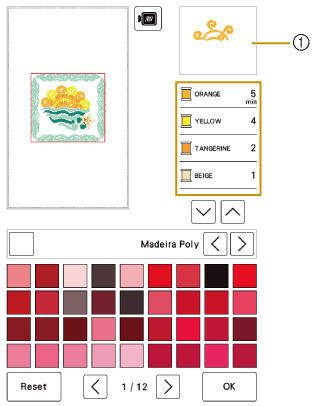
- Selected thread color image
- The selected thread color image appears.
Select a new color from the thread color palette, and then touch [OK].
To return to the original color, touch [Reset]. If multiple colors have been changed, this command will return all colors to their original colors.
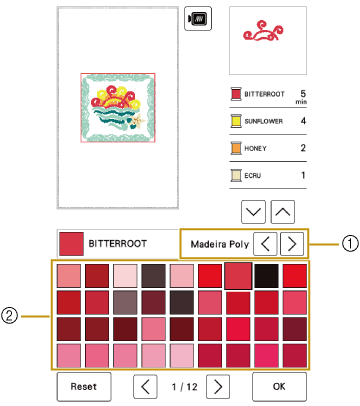
- Thread brand for colors
- Thread color palette
- The display shows the changed colors.