
Selecting Character Patterns
Touch
 .
.Touch the key of the font you want to embroider.
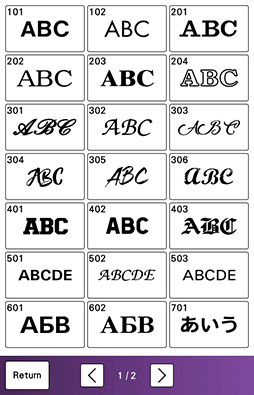
 : View the next page.
 : View the previous page.
Select the character category and then type in the text.
Character Pattern Edit Functions
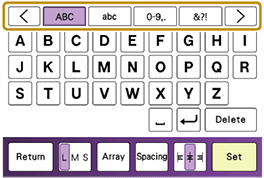
Touch [Set].
- The edit screen appears.
Follow the steps from 4 to 7 of “Selecting Embroidery Patterns”.